


Trail Signs
Trail Signs
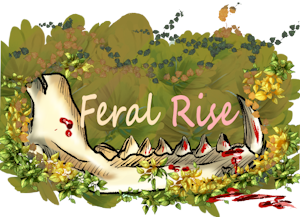
Trail Signs are dynamic share banners players can use in forum signatures, profiles, offsite posts, or other places that allow linked images.
A Trail Sign is meant to work like a tiny living advertisement for a player's current colony. The same shared code can keep working even if the player changes colonies later.
What Trail Signs Do
--show the player's current active colony when they have one
--fall back to a memorial, wanderer, or flower-style sign when they do not have an active colony
--link visitors to a public Trail Sign Visit page
--allow visitors to leave a very small, limited bit of aid when the player has an active colony
--stay usable even before custom banner art has been uploaded
Auto-Updating Colony Signs
Trail Signs are tied to the player, not permanently tied to one old colony.
If a player joins, forms, inherits, or otherwise moves into a new active colony, the shared Trail Sign can automatically resolve to that current colony.
This means old forum code does not have to be replaced every time the player's colony story changes.
When There Is No Active Colony
If the player has no active colony, the Trail Sign should not break.
Instead, it becomes a fallback sign such as:
--Memorial Trail
--Wanderer Mark
--Graveyard Flowers
These versions can still lead visitors to a quiet memorial-style visit page, but they do not add food or water to a missing colony.
Visitor Aid
Some Trail Signs can let visitors leave a tiny supply near the colony border.
Possible aid may include:
--water
--food
--herbs
--small materials, depending on the sign style
Visitor aid is intentionally small and limited. It is not meant to replace hunting, fishing, scouting, storage, care, or colony management.
Self-clicks do not add supplies, and repeated clicks from the same visitor do not keep stacking rewards. After the daily helpful-visit limit is reached, extra visits may still count as visits or flavor, but they should not create more supplies.
Tiny internet pawprints are cute. Infinite soup waterfalls are not.
Receipts and Notifications
When a visitor successfully leaves aid, the colony gets a log entry. The player also gets a notice, a colony notification, and one inbox message for the first helpful Trail Sign visit of the day. Later helpful visits that same day update the notification instead of filling the inbox with ten tiny raccoons in trench coats.
Rankings and Achievements
Trail Signs keep track of visits and rewarded outside help. The rankings page shows:
--most outside help received
--most helpful visitors
--all-time, last 30 days, and today views
Trail Sign actions also connect to achievements:
--Signal Fire: receive helpful outside aid
--Pawprint Courier: give helpful aid to another colony while logged in
--Flowers On The Trail: receive memorial fallback visits while colonyless
Choosing a Version
Players can choose between two versions:
--CSS / colorful generated banner: works right away, even without uploaded art
--Artist image banner: uses custom art when a matching image file exists, and falls back safely if the image is missing
Players can also choose a color theme and visual effect. Color themes include design-matched colors plus forest, moss, river, sunset, hearth, night, memorial, berry, and bone-style palettes. Effects include none, soft glow, pawprints, fireflies, mist, rain, stars, and scratches.
These color and effect choices work on the generated CSS banner and also decorate artist-image banners.
The Trail Signs setup page is organized into tabs for Design, Art, Colors + Effects, Fallback, Share, and Stats + Guide. It has a visual design gallery and a collapsed, sideways-scrolling artist image gallery. The art gallery stays tucked away until the player opens it, then shows visual thumbnails so users can choose by sight instead of reading filenames. Choosing a gallery card changes the live preview immediately. Saving uses an in-page refresh, so the preview and copy codes update without jumping the player to the bottom of the page.
Artist Image Naming
Artist images should be placed in:
images/trail_signs/
Use the base name, then the number, then the file extension.
Examples:
--living_colony_bigbanner1.png
--living_colony_bigbanner2.png
--food_help_bigbanner1.png
--water_help_bigbanner1.png
--memorial_bigbanner1.png
--wanderer_bigbanner1.png
--snail_spiral_bigbanner1.png
--scout_trail_bigbanner1.png
--predator_warning_bigbanner1.png
--elder_hearth_bigbanner1.png
--graveyard_flowers_bigbanner1.png
The main generated banner size is 700 x 180 pixels.
The right side should be kept calmer and less detailed, because the site adds live text there.
Good Art Template Ideas
--Living Colony: a camp, den, path, or wooden trail sign
--Food Help: food bundle, mushrooms, berries, roots, or leaf-wrapped scraps
--Water Help: rain bowl, stream stones, puddles, reeds, or dew drops
--Memorial Trail: cold campfire, fading pawprints, flowers, or a quiet path
--Wanderer Mark: a lone traveler, distant den lights, or roadside sign
--Snail Spiral: shell trail, mushrooms, slime shimmer, or spiral stones
--Scout Trail: map parchment, pawprints, flags, or trail markers
--Predator Warning: clawed warning board, dark brush, or watched treeline
--Elder Hearth: warm den, hearth fire, herbs, or an elder story scene
--Graveyard Flowers: memorial grove, stones, flowers, fireflies, or soft moonlight
Sharing Trail Signs
The Trail Signs page gives players copyable BBCode, HTML, a plain visit link, and a direct image link.
Most forums use BBCode. Profiles or custom pages may use HTML if allowed. The BBCode uses a forum-safe image URL shaped like trail_sign_image.php/u2.png instead of relying on ?u=2 in the image URL, because some forum parsers strip image query strings and would otherwise show the unavailable fallback.
Related Pages
--Basic Info
--Helpful Places
--Colony
--Graveyard
--Snail Spiral
Trail Signs are dynamic share banners players can use in forum signatures, profiles, offsite posts, or other places that allow linked images.
A Trail Sign is meant to work like a tiny living advertisement for a player's current colony. The same shared code can keep working even if the player changes colonies later.
What Trail Signs Do
--show the player's current active colony when they have one
--fall back to a memorial, wanderer, or flower-style sign when they do not have an active colony
--link visitors to a public Trail Sign Visit page
--allow visitors to leave a very small, limited bit of aid when the player has an active colony
--stay usable even before custom banner art has been uploaded
Auto-Updating Colony Signs
Trail Signs are tied to the player, not permanently tied to one old colony.
If a player joins, forms, inherits, or otherwise moves into a new active colony, the shared Trail Sign can automatically resolve to that current colony.
This means old forum code does not have to be replaced every time the player's colony story changes.
When There Is No Active Colony
If the player has no active colony, the Trail Sign should not break.
Instead, it becomes a fallback sign such as:
--Memorial Trail
--Wanderer Mark
--Graveyard Flowers
These versions can still lead visitors to a quiet memorial-style visit page, but they do not add food or water to a missing colony.
Visitor Aid
Some Trail Signs can let visitors leave a tiny supply near the colony border.
Possible aid may include:
--water
--food
--herbs
--small materials, depending on the sign style
Visitor aid is intentionally small and limited. It is not meant to replace hunting, fishing, scouting, storage, care, or colony management.
Self-clicks do not add supplies, and repeated clicks from the same visitor do not keep stacking rewards. After the daily helpful-visit limit is reached, extra visits may still count as visits or flavor, but they should not create more supplies.
Tiny internet pawprints are cute. Infinite soup waterfalls are not.
Receipts and Notifications
When a visitor successfully leaves aid, the colony gets a log entry. The player also gets a notice, a colony notification, and one inbox message for the first helpful Trail Sign visit of the day. Later helpful visits that same day update the notification instead of filling the inbox with ten tiny raccoons in trench coats.
Rankings and Achievements
Trail Signs keep track of visits and rewarded outside help. The rankings page shows:
--most outside help received
--most helpful visitors
--all-time, last 30 days, and today views
Trail Sign actions also connect to achievements:
--Signal Fire: receive helpful outside aid
--Pawprint Courier: give helpful aid to another colony while logged in
--Flowers On The Trail: receive memorial fallback visits while colonyless
Choosing a Version
Players can choose between two versions:
--CSS / colorful generated banner: works right away, even without uploaded art
--Artist image banner: uses custom art when a matching image file exists, and falls back safely if the image is missing
Players can also choose a color theme and visual effect. Color themes include design-matched colors plus forest, moss, river, sunset, hearth, night, memorial, berry, and bone-style palettes. Effects include none, soft glow, pawprints, fireflies, mist, rain, stars, and scratches.
These color and effect choices work on the generated CSS banner and also decorate artist-image banners.
The Trail Signs setup page is organized into tabs for Design, Art, Colors + Effects, Fallback, Share, and Stats + Guide. It has a visual design gallery and a collapsed, sideways-scrolling artist image gallery. The art gallery stays tucked away until the player opens it, then shows visual thumbnails so users can choose by sight instead of reading filenames. Choosing a gallery card changes the live preview immediately. Saving uses an in-page refresh, so the preview and copy codes update without jumping the player to the bottom of the page.
Artist Image Naming
Artist images should be placed in:
images/trail_signs/
Use the base name, then the number, then the file extension.
Examples:
--living_colony_bigbanner1.png
--living_colony_bigbanner2.png
--food_help_bigbanner1.png
--water_help_bigbanner1.png
--memorial_bigbanner1.png
--wanderer_bigbanner1.png
--snail_spiral_bigbanner1.png
--scout_trail_bigbanner1.png
--predator_warning_bigbanner1.png
--elder_hearth_bigbanner1.png
--graveyard_flowers_bigbanner1.png
The main generated banner size is 700 x 180 pixels.
The right side should be kept calmer and less detailed, because the site adds live text there.
Good Art Template Ideas
--Living Colony: a camp, den, path, or wooden trail sign
--Food Help: food bundle, mushrooms, berries, roots, or leaf-wrapped scraps
--Water Help: rain bowl, stream stones, puddles, reeds, or dew drops
--Memorial Trail: cold campfire, fading pawprints, flowers, or a quiet path
--Wanderer Mark: a lone traveler, distant den lights, or roadside sign
--Snail Spiral: shell trail, mushrooms, slime shimmer, or spiral stones
--Scout Trail: map parchment, pawprints, flags, or trail markers
--Predator Warning: clawed warning board, dark brush, or watched treeline
--Elder Hearth: warm den, hearth fire, herbs, or an elder story scene
--Graveyard Flowers: memorial grove, stones, flowers, fireflies, or soft moonlight
Sharing Trail Signs
The Trail Signs page gives players copyable BBCode, HTML, a plain visit link, and a direct image link.
Most forums use BBCode. Profiles or custom pages may use HTML if allowed. The BBCode uses a forum-safe image URL shaped like trail_sign_image.php/u2.png instead of relying on ?u=2 in the image URL, because some forum parsers strip image query strings and would otherwise show the unavailable fallback.
Related Pages
--Basic Info
--Helpful Places
--Colony
--Graveyard
--Snail Spiral